No account or sign-up No tracking Direct links — no redirects Works offline

Standard QR codes, generated privately on your device.

Most QR tools log what you encode, show ads, or wrap codes in redirects that break when they shut down. Good QR Code Generator runs entirely on your own machine or in your own browser — no account, no cloud, no expiry. Works with any scanner.

Two flavours, same philosophy

Use it in your browser for instant access, or download the desktop app for extra power. Both are fully private and work offline.
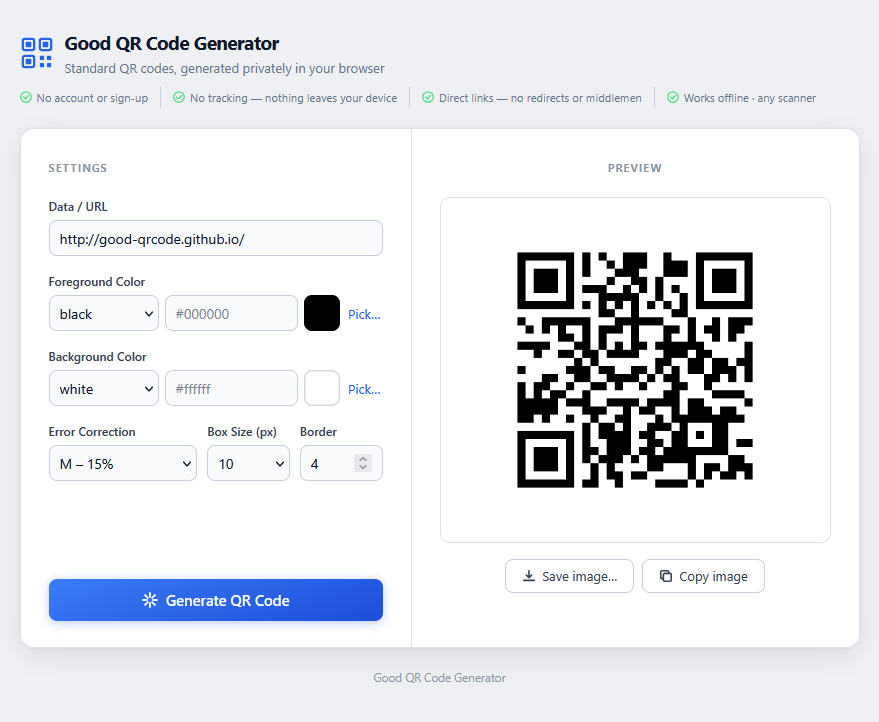
Good QR Code Generator — web version

Web

Single-page app that runs in any modern browser. Open it and generate — no server, no installation.

Any modern browser PNG output Copy to clipboard

Open Web App
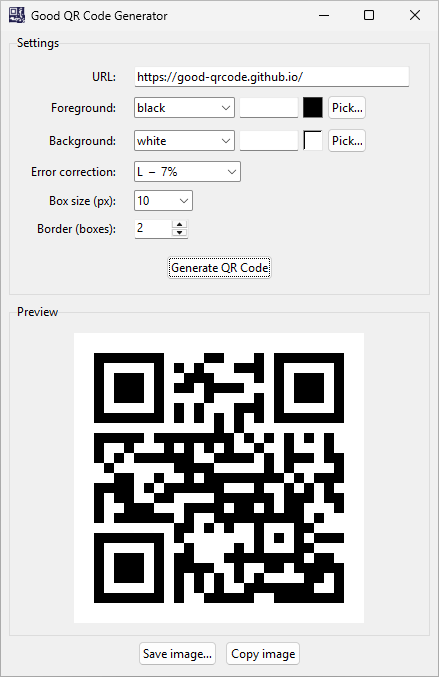
Good QR Code Generator — desktop version on Windows 11

Desktop

Native app for Windows, macOS, and Linux. Pre-built binaries available — no Python needed.

Windows, macOS, Linux 7 export formats Configurable defaults

Download

Everything you need. Nothing you don't.

No sign-up. No subscription. Just open it and generate.

Fully private

Everything stays on your device. No servers, no logs, no analytics — your data never leaves your machine or browser.

Colour customisation

Set any foreground and background colour — named colours, hex codes, or a transparent background. Includes a visual colour picker.

One-click copy

Copy the generated QR code directly to your clipboard. Paste it straight into any document, email, or design tool.

Fine-grained control

Choose error correction level (L/M/Q/H), adjust module size, and set the quiet-zone border — perfect for print or screen.

Multiple export formats

Web saves as PNG. Desktop adds JPEG, BMP, GIF, TIFF, WebP, and ICO. Both support transparent backgrounds.

Standard QR codes

No proprietary redirects or middlemen. Every QR code is a standard code that works with any scanner — forever.

Your data is none of anyone's business.

Online QR tools often log the URLs you encode, sell analytics, or use tracking redirects that expire. Good QR Code Generator runs entirely on your device — what you encode stays with you.

Get it for your platform

Use the web app instantly, or download the desktop app for your OS.

Web

Works in any modern browser — nothing to install

Open
Windows

GoodQRCodeGen.exe — standalone, no install needed

Download

Prefer to run from source? See the instructions on GitHub →